For iPhone, iPad and Mac
A smart academic planner.
Keep your to-do list, calendar, and notebook all in one place. Made for students by a student.
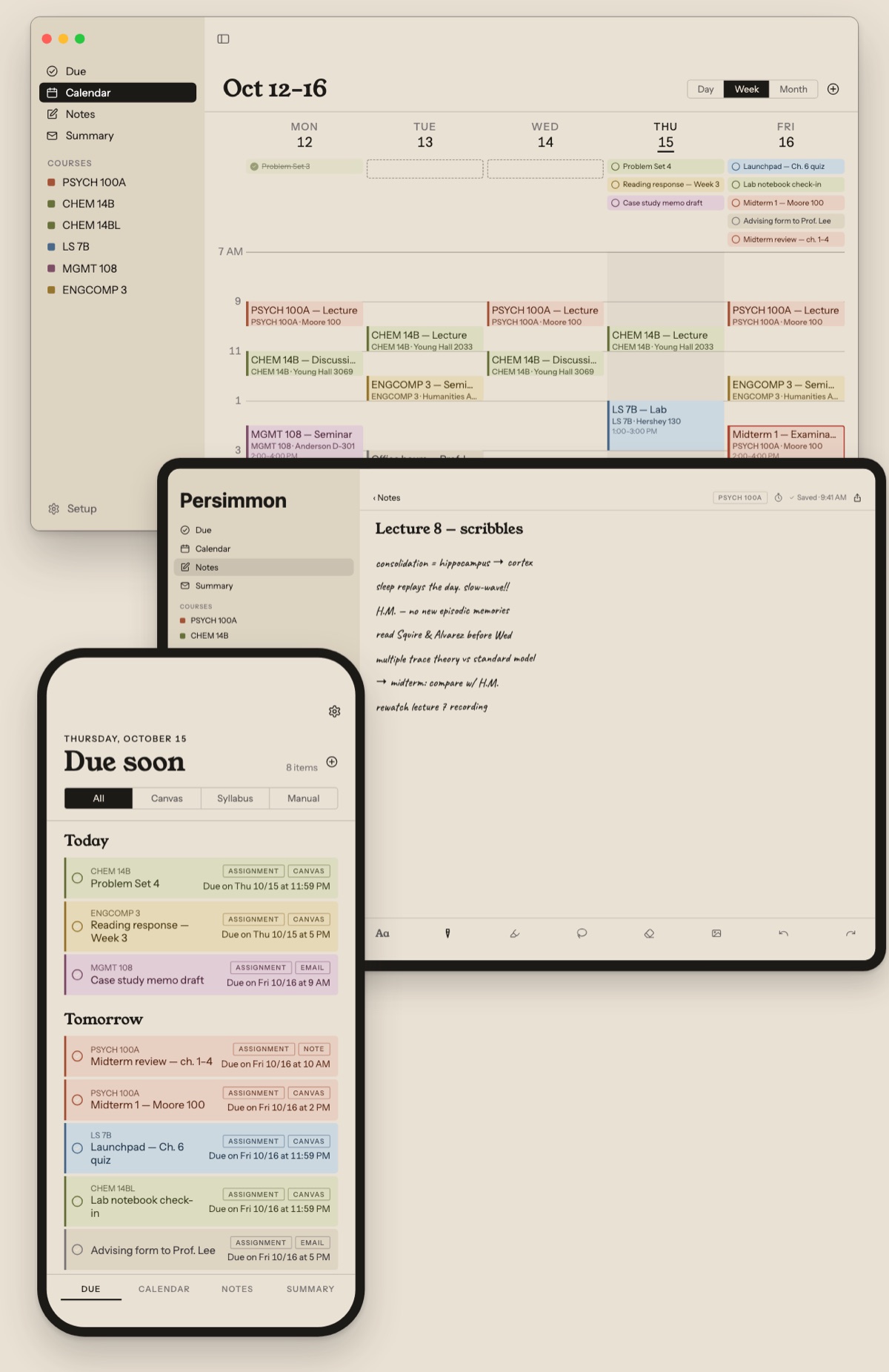
Brings in
- Canvas deadlines
- Outlook calendar
- Syllabus PDFs
- Due dates from email
- Tasks you add yourself
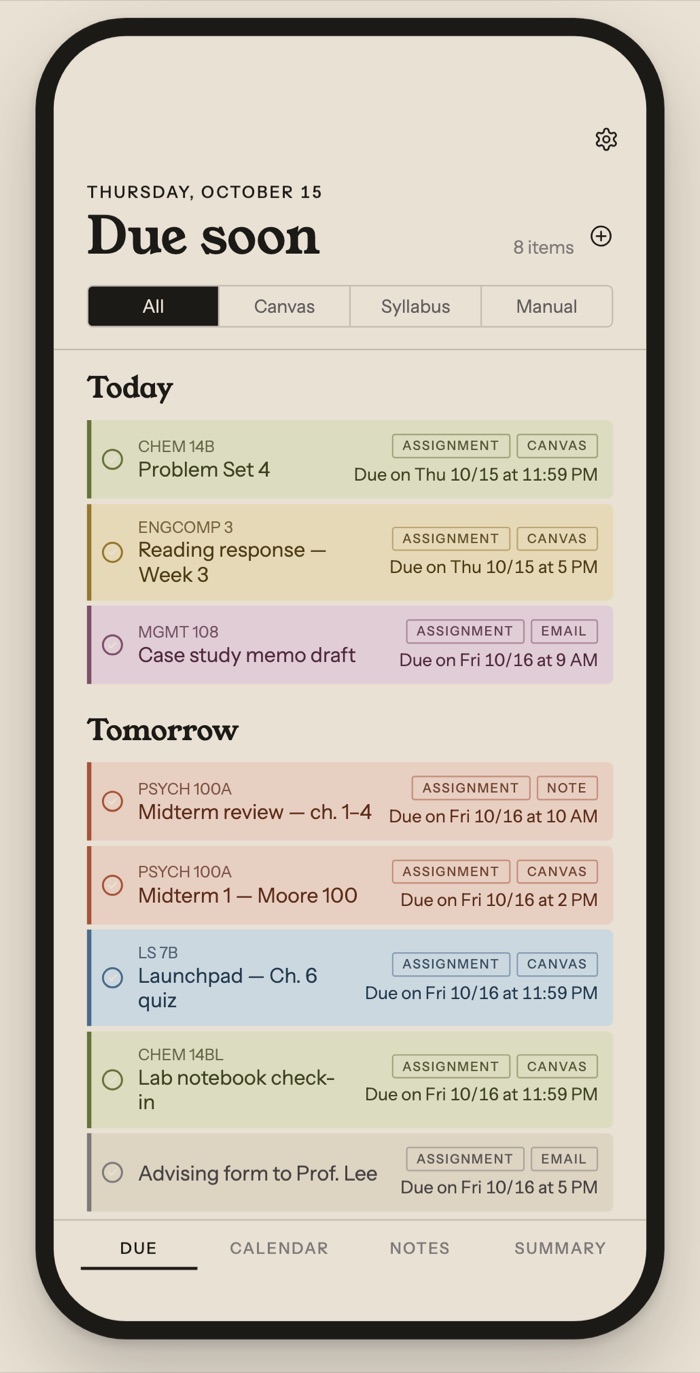
Due
Every deadline, one list.
Canvas, your syllabi and the tasks you add yourself, sorted into Today, Tomorrow and the week ahead. Check things off as you go.
- Color-coded by course, so a glance tells you which class it is
- Filter by where it came from: Canvas, syllabus or you
- What's due next, right on your Home Screen with widgets
Notes
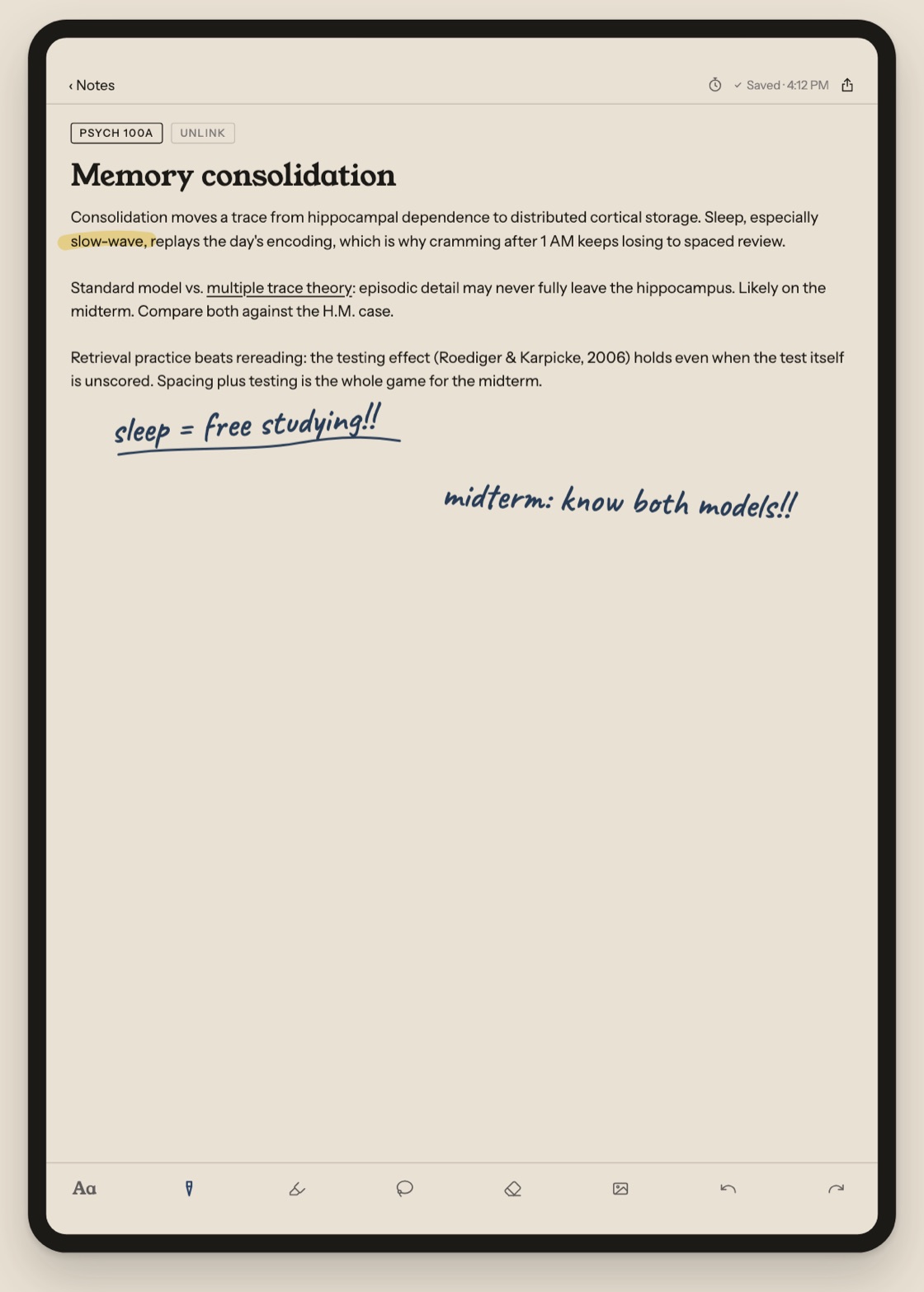
Type it, then write all over it.
Pick up Apple Pencil on any typed note to highlight, underline or scribble right over the text. Mark up lecture slides and readings the same way.
Calendar
A week that plans itself around you.
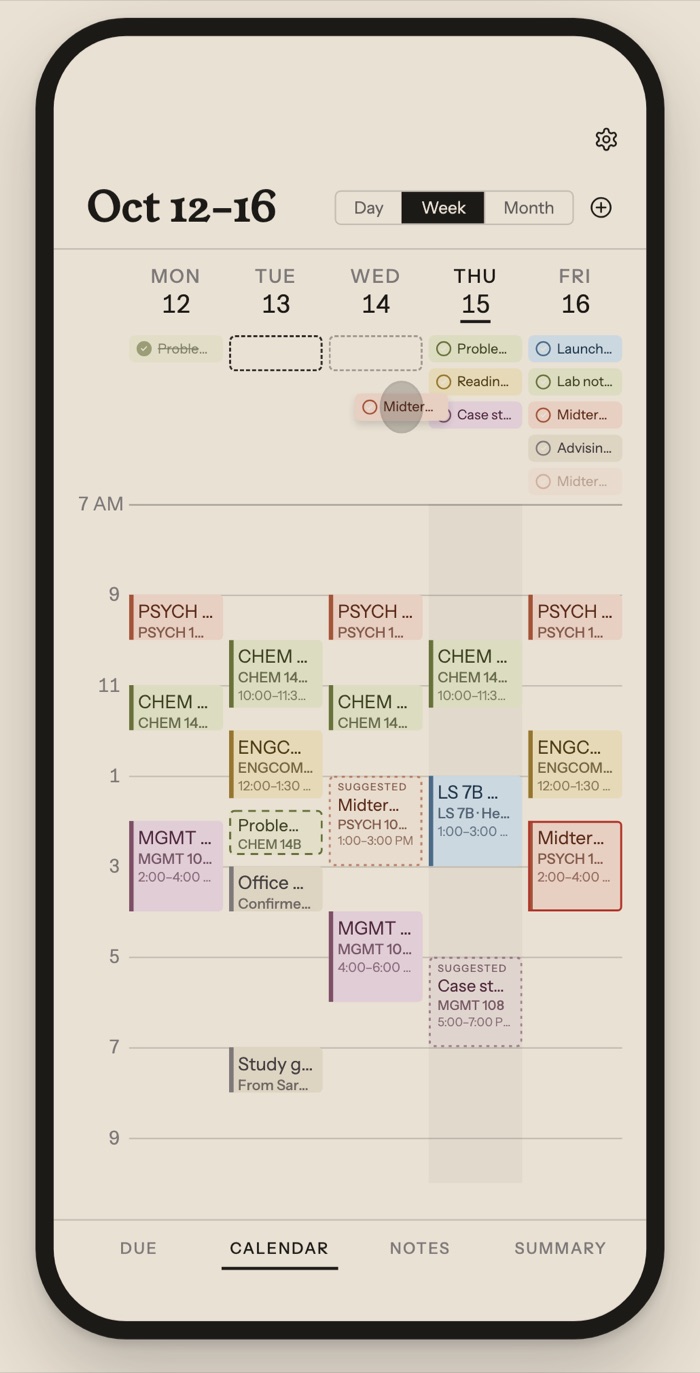
Classes and due dates, together
Your schedule and every deadline on one week. Drag a task onto a day to decide when you'll do it.
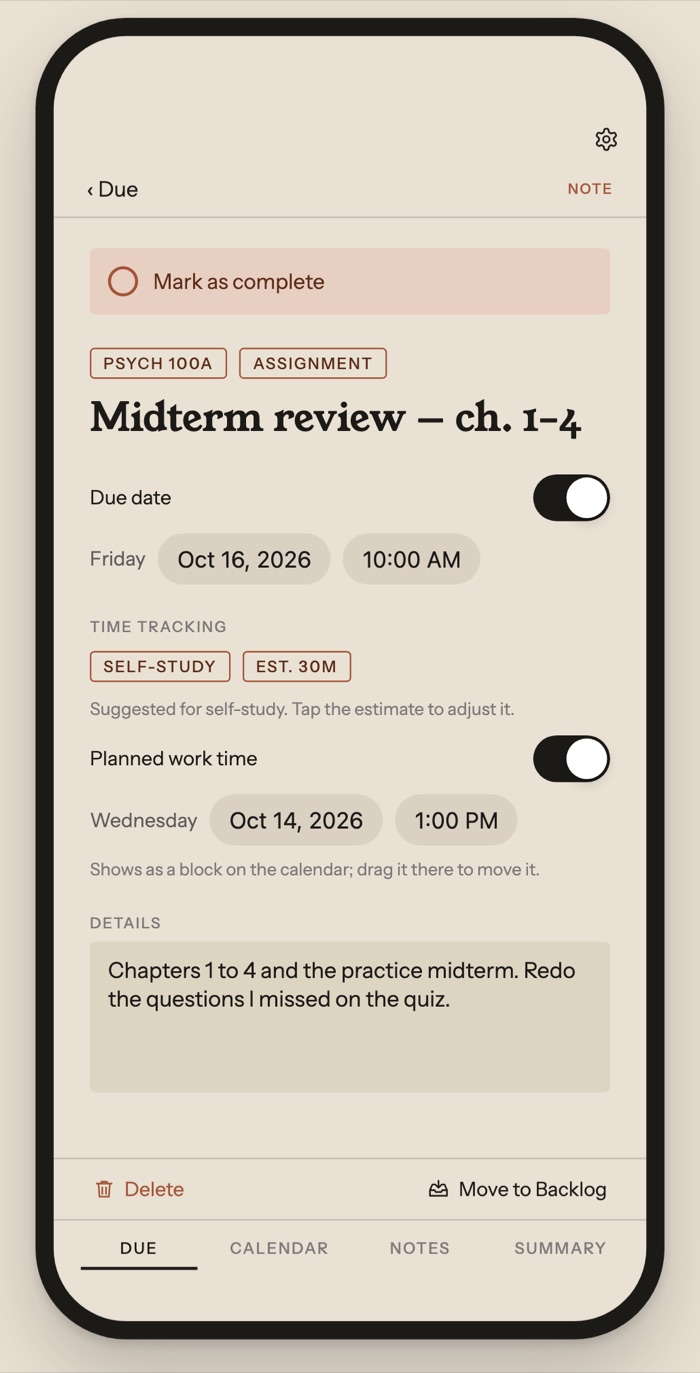
Suggestions that learn
Persimmon notices when you usually do each kind of work and offers a time. Each block is as long as similar work has taken you, learned from the time you've spent in your notes for that course. Dismiss one and it stays gone.
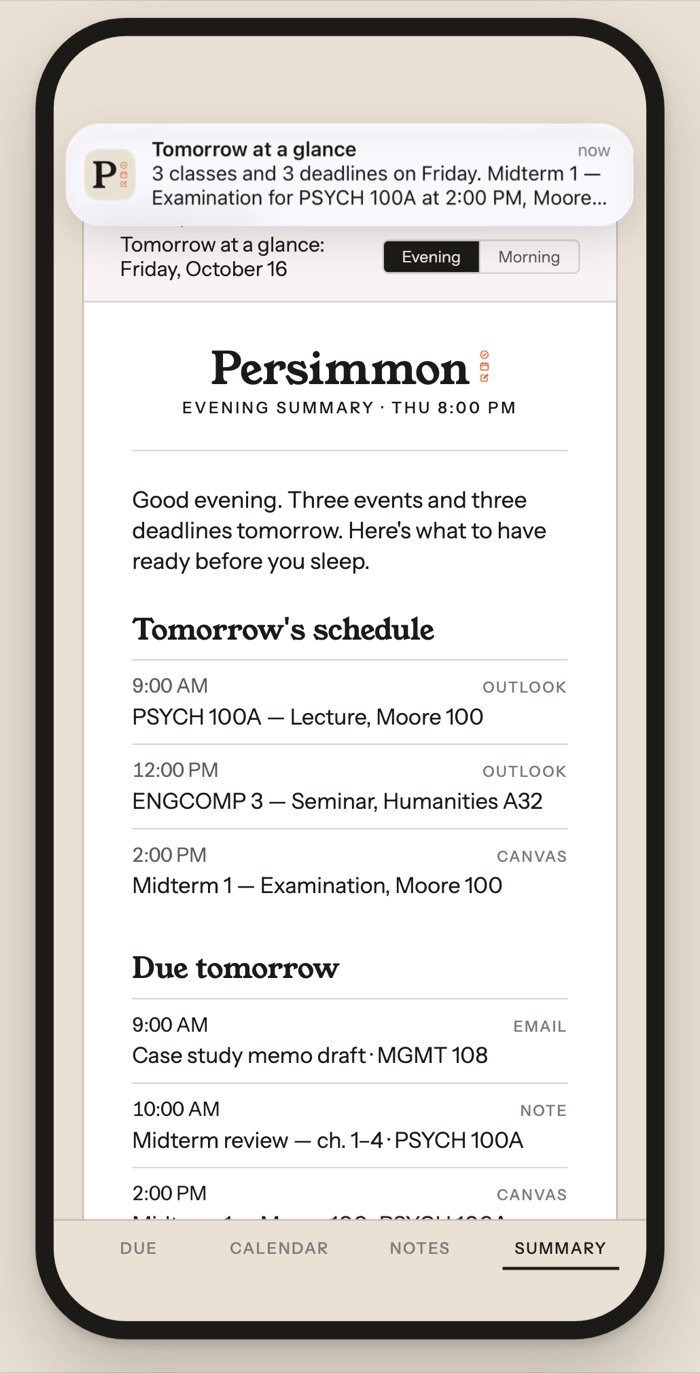
Tomorrow, the night before
An evening summary of tomorrow's classes and what's due, written on your device and ready before you sleep.
Syllabus reader · paid subscription
Hand it a syllabus. Get the term back.
Import the PDF and Persimmon drafts the term's exams, assignments and readings into your calendar, filed under the right course.
Already on Canvas? It suggests merges so nothing shows up twice.
And the details
Made for the way you actually study.
Syncs through your iCloud
Notes and tasks move between your devices through your own iCloud account.
Built for the Mac
Persimmon sits in your menu bar, so today's classes and deadlines are a click away. Check things off right there.
Pencil that feels right
Double-tap to switch tools, pinch to zoom, and ink stays sharp at any size.
Widgets
What's due next and today's classes, without opening the app.
Share into Persimmon
Send a PDF straight into your notes.
Export to PDF
Share any note as a PDF, handwriting and highlights included.
Pricing
Free for 30 days.
Use Persimmon free for 30 days, then $4.99 a month. One subscription covers iPhone, iPad and Mac.
The syllabus reader needs the paid subscription, so it unlocks once you subscribe.
Support
Replies come from a person.
Questions, problems, or a syllabus the reader got wrong: write to us and we'll sort it out.
support@mypersimmon.app